Payroll & Purchase Requisitions
How you get paid at AISA, and how to claim or request a purchase — straight from the Accounts Office.
Two Things Every New Staff Member Needs to Know
Welcome to AISA. This short module covers the two Accounts Office processes that affect you from your very first month: how your payroll works, and how to use a Purchase Requisition Form when the school buys something for you or reimburses what you've paid.
💵 Payroll Activities
- • Submitting your bank account details
- • How and when salaries are processed and paid
- • Reading your monthly pay slip
🧾 Purchase Requisition Form
- • What a PRF is and who signs it
- • What to attach for a direct supplier payment
- • What to attach to be reimbursed through payroll
Where this comes from
Both processes are run by the AISA Accounts Office. Everything in this module reflects the orientation given to new staff — including the official forms (Annexes A, B and C) you'll see on the next screens.
Payroll Basics — Definition & the Three Activities
📖 What "payroll" means
Payroll is the net amount of money paid on a monthly basis to an employee for their earned salaries, allowances, stipends, reimbursements and deductions. As a function, it is the process by which employees receive their salary.
For you, payroll breaks down into three operating activities:
1. Submit bank account details
Done once, as soon as possible after you join.
2. Processing & payment
Your salary is calculated and transferred each month.
3. Pay slip distribution
Your pay slip is emailed to you after each pay month.
We'll walk through each of these in turn. The only one that needs action from you up front is the first.
Step 1: Submit Your Bank Account Details
A one-time task — do this as soon as possible so your salary can be paid.
Who
Completed by you, the employee.
When
As soon as possible after joining.
Where
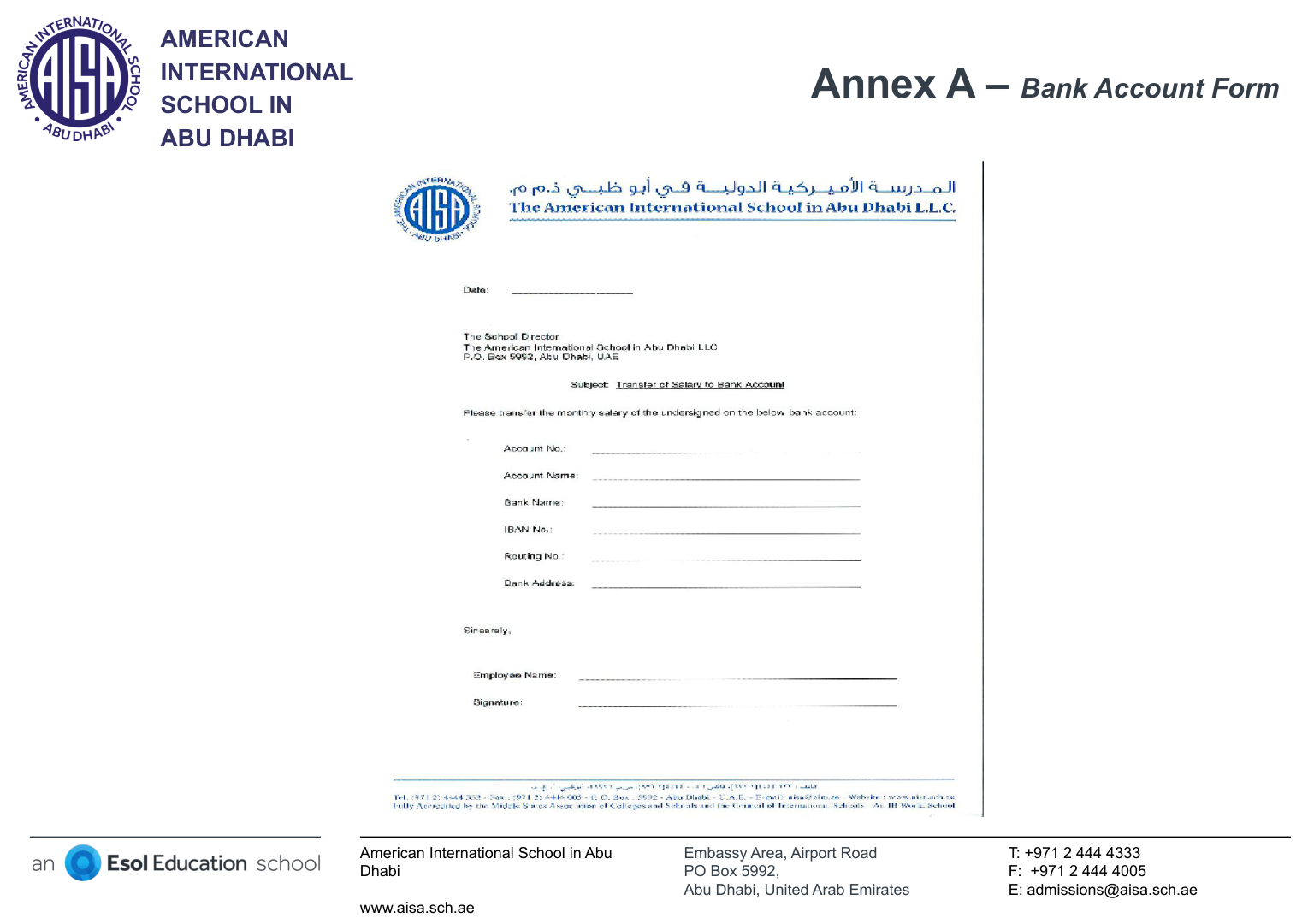
To the HR / Accounts Office, using the AISA Bank Account Form (Annex A).
How
Submit the completed Bank Account Form to the HR Office.
⚖️ Why it's required
UAE law requires it. Under the Ministry of Human Resources & Emiratisation (MoHRE) Wages Protection System (WPS), salaries must be paid in dirhams and transferred to your UAE bank account. No valid local account on file means your salary can't be processed.
🏦 What the bank needs to open your account
Getting Paid
A new teacher hasn't submitted their AISA Bank Account Form yet but expects their first salary at the end of the month. What's the correct understanding?
How & When Payroll Is Processed and Paid
Payroll is managed by the Accounts Office. The actual transfer of money to your bank account is made through the WPS by the Central Bank, based on approved documents and in line with your contract and statutory requirements.
📅 Monthly payment timing
- 1st year: August to May — paid at the end of each month.
- 2nd year onward: August to July — paid at the end of each month.
- June: 50% paid; the rest of July's balance follows.
- July: paid on the last working day of the year; the July balance is settled by the end of August.
🗂️ Document processing windows
- Aug–Nov: 15th to 22nd of the month.
- December: 5th to 7th of the month.
- Jan–May: 15th to 22nd of the month.
- June: 10th to 12th of the month.
Any change to your pay (stipend, leave, reimbursement) needs its document in before that month's window to land in the same pay run.
🧮 What makes up your pay
Each item is processed from an approved source document:
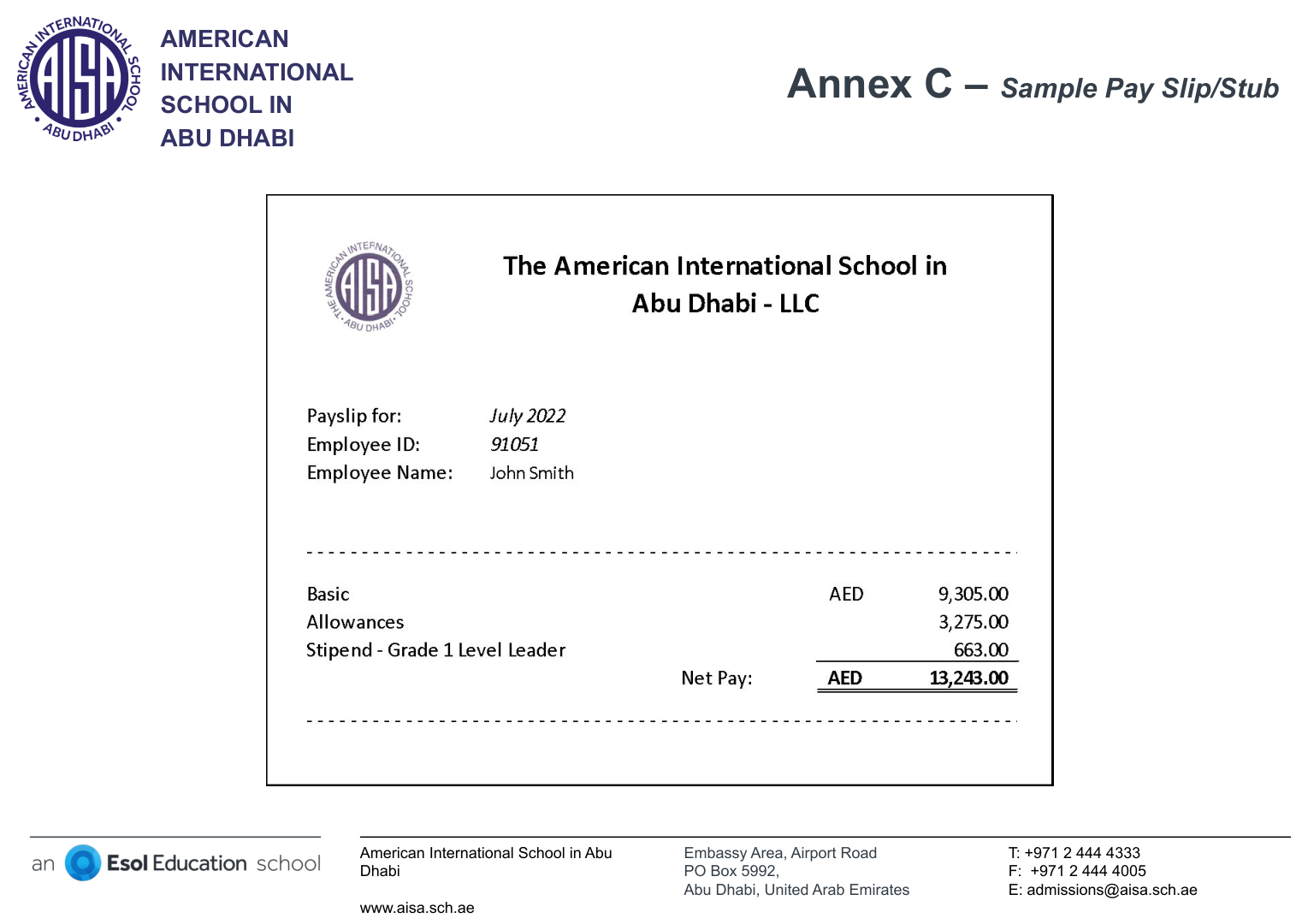
Your Monthly Pay Slip
Handled by
Accounts Office, through Synergetics.
When
Within five days after the pay month (latest).
How
Sent electronically from AISA Accounts to your AISA email.
Your pay slip reflects your net pay for the month — your normal (monthly) pay, monthly stipend, reimbursements and deductions. Check it each month against what you expect.
The Purchase Requisition Form (PRF)
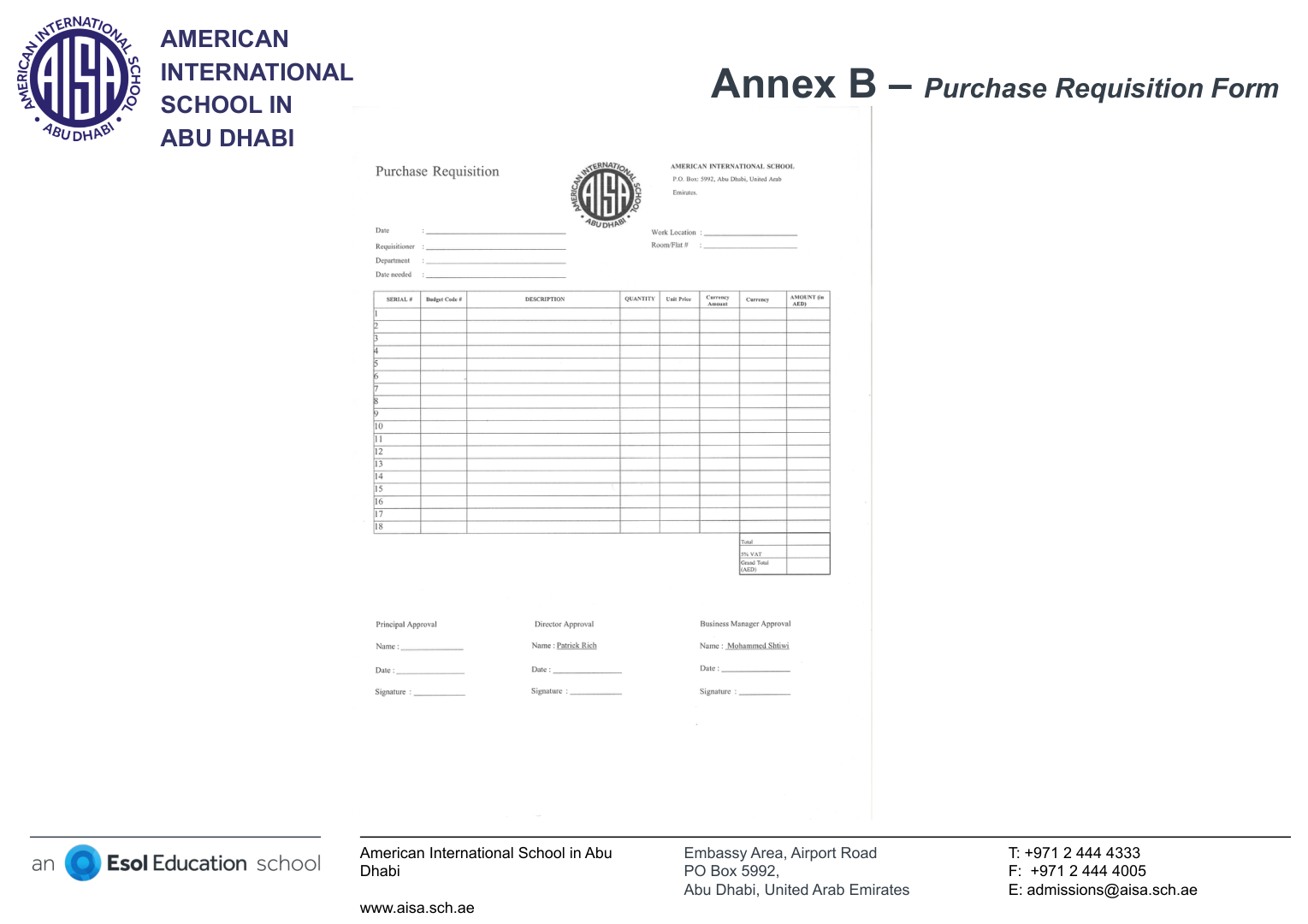
A Purchase Requisition Form is an internal control document showing that a particular purchase of goods and/or services is duly authorized. To be valid it must be signed by the Principal, the School Director, and the Business Manager (Annex B).
🏪 1. School pays the supplier directly
Attach to the PRF:
- • The invoice
- • The supplier's bank account details
💳 2. Reimbursement through your payroll
Attach to the PRF:
- • The invoice / proof of the charge
- • Proof of payment you made
- • The AISA PD application form, if using Professional Development money
💡 Tip
Reimbursements feed into payroll, so a PRF submitted after the month's document-processing window will be paid in the next pay run. Submit early.
Purchase Requisitions
You paid out of pocket for an approved classroom resource and want to be reimbursed through your salary. Which is correct?
Quick Reference & Who to Contact
✅ Do
- • Submit your Bank Account Form (Annex A) to HR straight away.
- • Use a UAE dirham bank account for WPS.
- • Check your pay slip each month against what you expect.
- • Get PRF signatures and attachments in before the monthly window.
🚫 Don't
- • Expect payment before your bank details are on file.
- • Submit a PRF without all three approval signatures.
- • Forget the invoice and proof of payment on a reimbursement.
- • Make verbal-only requests for anything that needs a paper trail.
📞 Need help?
For any payroll or purchase-requisition question, contact Sheila Gonzalez — sgonzalez@aisa.sch.ae — at the Accounts Office, Ground Floor, Rotunda Area.
📎 Keep for reference
Open the original Accounts Office orientation deck (PDF) for the full Annex A, B and C forms you can print and fill in.